
Tips for Better Results
Get the most out of VoxAI with these best practices. Small changes in your input can dramatically improve your 3D model quality.
📚 In This Guide
Quick Checklist
Before generating, run through this quick checklist to maximize your chances of a great result:
✅ Do
- •Use one subject per image
- •Choose clean, simple backgrounds
- •Use voxel/pixel art style images when possible
- •Prefer 3/4 angle views showing depth
- •Use the "Improve Prompt" feature
❌ Don't
- •Use images with multiple objects
- •Use cluttered or busy backgrounds
- •Use low resolution images
- •Use flat, straight-on frontal views
- •Expect photorealistic results
Image Input Best Practices
The quality of your input image directly affects your 3D model. Here's what works best:
🎯 One Subject Per Image
VoxAI works best when there's a single, clear subject in the image. Multiple objects confuse the AI and result in merged or incomplete 3D models.
✅ Good
A single sword, one character, one building
❌ Bad
A group of characters, multiple items on a table
🖼️ Clean, Simple Backgrounds
Avoid cluttered backgrounds. The AI may try to include background elements in your 3D model, creating unwanted geometry.
✅ Good
Solid color, gradient, or transparent background
❌ Bad
Detailed scenes, forests, rooms with furniture
🎨 Voxel Art Images = Better 3D Models
Images already in voxel or pixel art style convert to 3D much more accurately. The blocky aesthetic translates naturally to voxel geometry.
💡 Pro Tip: If you have a reference image that isn't voxel art, use VoxAI's image-to-voxel feature first to convert it, then generate the 3D model from the voxel version.
📐 Show Depth with Angled Views
3/4 angle views (isometric-style) give the AI more information about the object's depth and shape, resulting in better 3D models.
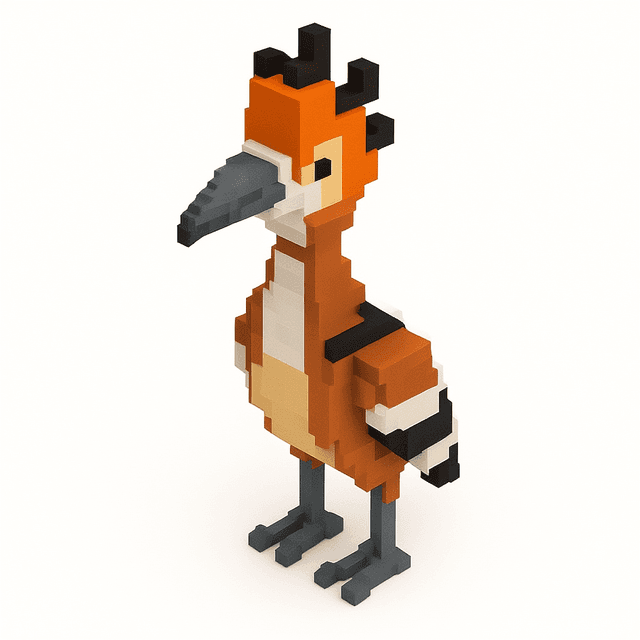
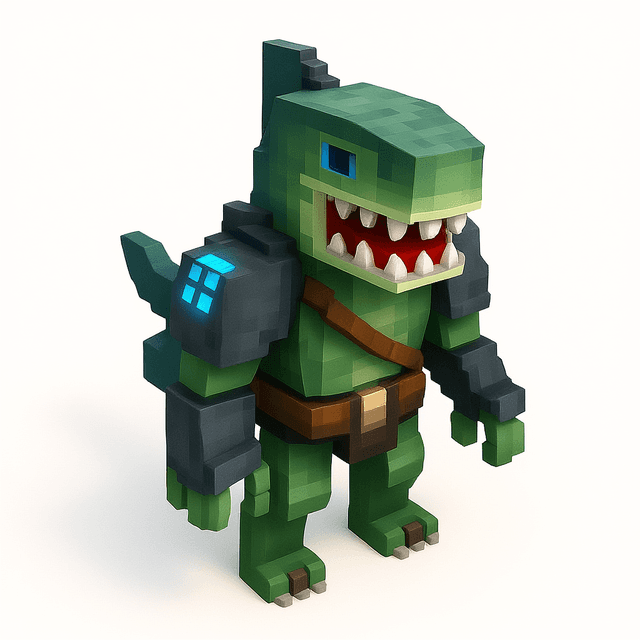
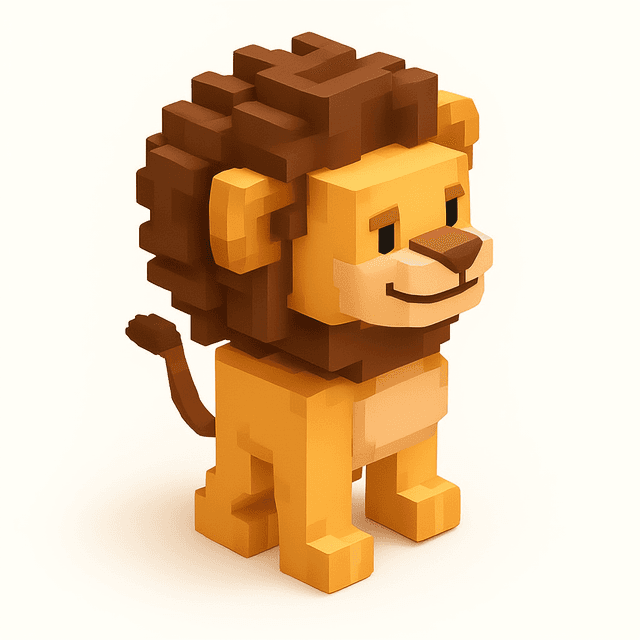
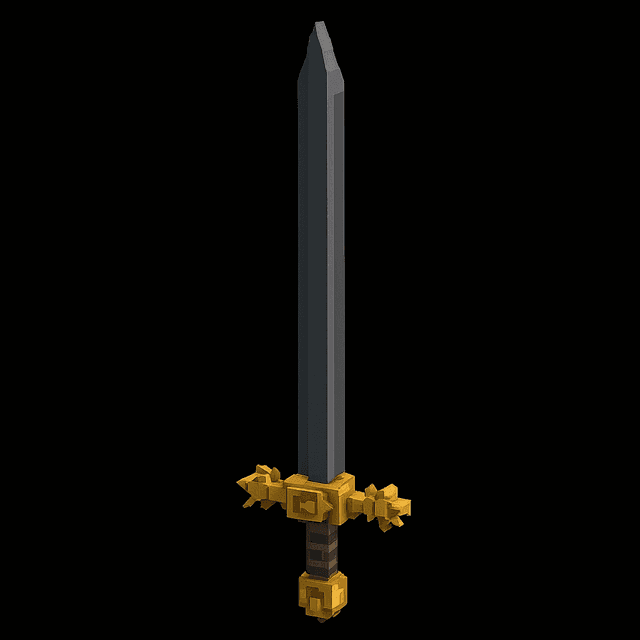
Examples of good voxel art images that work well with VoxAI
Prompt Writing Tips
When using text-to-image generation, your prompt quality matters. Here's how to write effective prompts:
1. Be Specific About Your Subject
Describe exactly what you want to create.
2. Include "Voxel Art" or "Pixel Art"
This helps the AI generate images in the right style.
3. Use the "Improve Prompt" Feature
VoxAI can automatically enhance your simple prompt into a detailed, optimized version. This feature is free and dramatically improves results.
4. Mention Colors and Materials
If you have specific colors in mind, include them.
Choosing the Right AI Model
VoxAI offers multiple AI models for different use cases:
VoxAI HiRez (Recommended)
Our best model for most use cases. Produces high-quality, detailed voxel art with accurate colors and shapes.
Best for: Characters, detailed objects, complex designs
VoxAI Stable
Sometimes produces better results for simpler images with fewer colors and less detail.
Best for: Simple objects, items with flat colors, minimalist designs
Hunyuan3D
A powerful open-source model option. Good alternative if you want to experiment with different results.
Best for: Experimentation, alternative styles
💡 Pro Tip: If your first result isn't perfect, try a different model. Sometimes VoxAI Stable works better for a specific image, or vice versa.
Cube Size Quick Reference
After generating your 3D model, you can adjust the level of detail using the cube size slider. Smaller cubes = more detail.
| Cube Size | Detail Level | Best For |
|---|---|---|
0.022 | Maximum | High-fidelity renders, detailed characters, showcase pieces |
0.035-0.036 | Minecraft-Ready | Minecraft mods, Blockbench, game-ready assets |
0.05+ | Low | Stylized low-poly look, performance optimization |
⚠️ Minecraft Users: Always create a version at 0.035-0.036 cube size for optimal import into Blockbench or other Minecraft tools.
Common Mistakes to Avoid
❌ Using Photos with Complex Backgrounds
The AI will try to voxelize everything in the image, including the background. Remove or replace complex backgrounds before uploading.
❌ Including Multiple Characters/Objects
Group shots result in merged or incomplete models. Generate each character or object separately, then combine them in your target application.
❌ Using Very Low Resolution Images
Low-res images lack the detail needed for good 3D conversion. Use images at least 512x512 pixels for best results.
❌ Expecting Photorealistic Results
VoxAI creates voxel art—a stylized, blocky aesthetic. Embrace the voxel style rather than expecting smooth, photorealistic models.
❌ Skipping the Re-voxelize Step
The default cube size may not be optimal for your use case. Always check if adjusting the cube size improves your model.